.webp&w=640&q=75)
We have several Amazon Fire Tablet devices, which I mainly use for the Minecraft app and for downloading children’s worship songs for those who particularly enjoy music. Children can listen using headphones or, where possible, in a quieter separate room.
The tablets are also very useful at the beginning and end of sessions, when children are choosing their own activities.
Most apps are free or inexpensive, and being able to duplicate the same apps across multiple devices helps keep costs manageable. However, I would recommend choosing devices with at least 16GB of storage, as space can fill up quite quickly.
These are some of the apps I have found most useful, although there are many others available on Amazon that you may also wish to explore:
Minecraft
Minecraft is used in several of the activities for Level 4 children and has proved very popular!
Bible apps
Superbook Kids Bible App
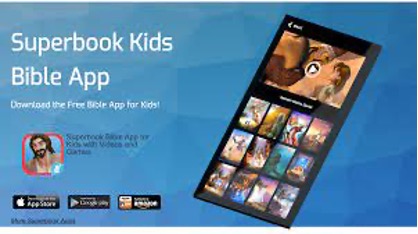
I highly recommend the Superbook Kids Bible App for Level 3 and Level 4 children. It makes it very easy to look up Bible verses and includes several Bible versions. I personally use the NLT version within the app.
The app also includes:
- Games
- Character profiles
- Video clips
Best of all, it’s completely free.
Bible App for Kids
Bible App for Kids, from the makers of the YouVersion Bible App, includes many free, engaging, interactive Bible stories suitable for Level 1 and Level 2 children.
At the end of each story there is also an optional fun activity. I found the background music a little irritating, but thankfully it can be turned off in the Settings menu!
Many of the stories link well with the lessons on the website. Thoroughly recommended.
Downloading worship songs for Kindle
Using a downloading tool such as 4K Video Downloader Plus, you can save YouTube videos to watch offline.
- Download the desired YouTube videos using 4K Video Downloader Plus.
- The videos will automatically save to the “Videos” folder on your laptop or computer.
- Connect your Kindle to your computer using a USB cable.
- Open the Kindle’s internal storage.
- Create a folder (for example, “Song Videos”).
- Drag or copy the downloaded videos into this folder.
- On your Kindle, the videos should appear in the “My Videos” section.
A helpful resource for suitable worship songs is the Songs for Aslan YouTube playlist.